
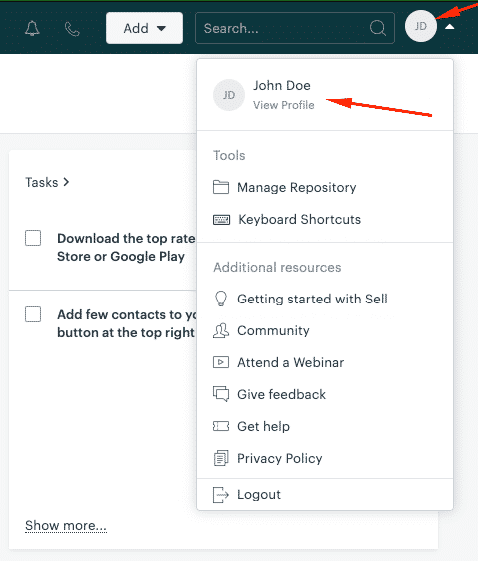
- To find your ZendeskSell CRM Access Token, you need to click on your name in the upper right corner and choose View Profile.
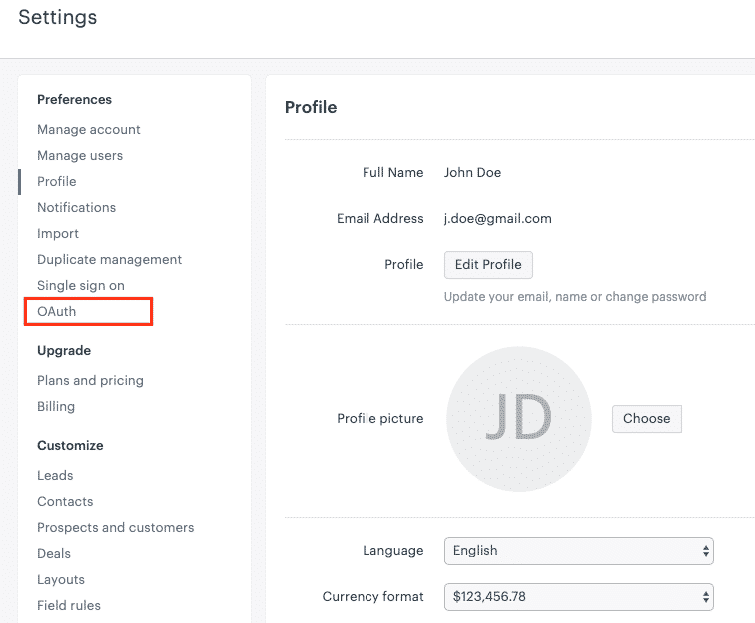
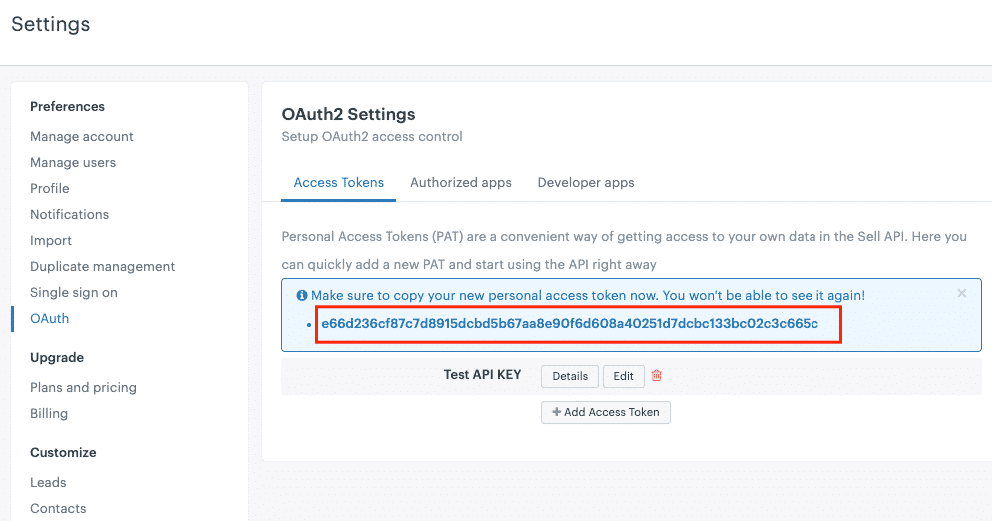
- Then, you will see a menu on the left, where you click on OAuth.
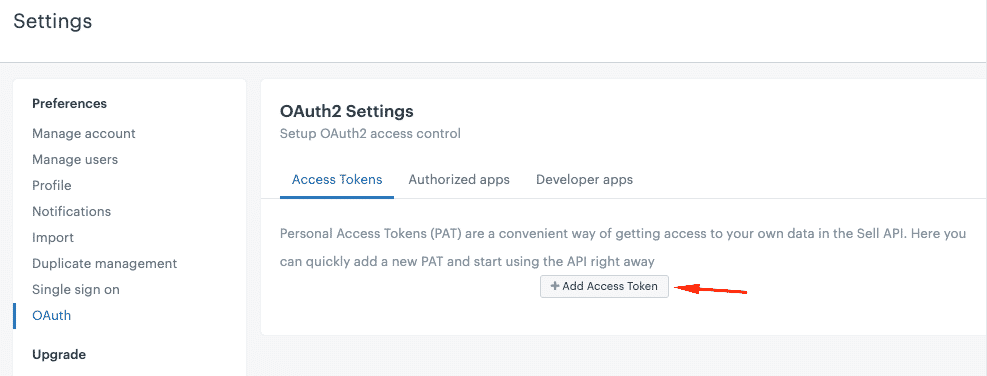
- On the page layout, you will see a button Add Access Token
- After you click on Add Access Token, you will see a menu where you are asked to provide a description of this Access Token and choose scopes of its further usage.
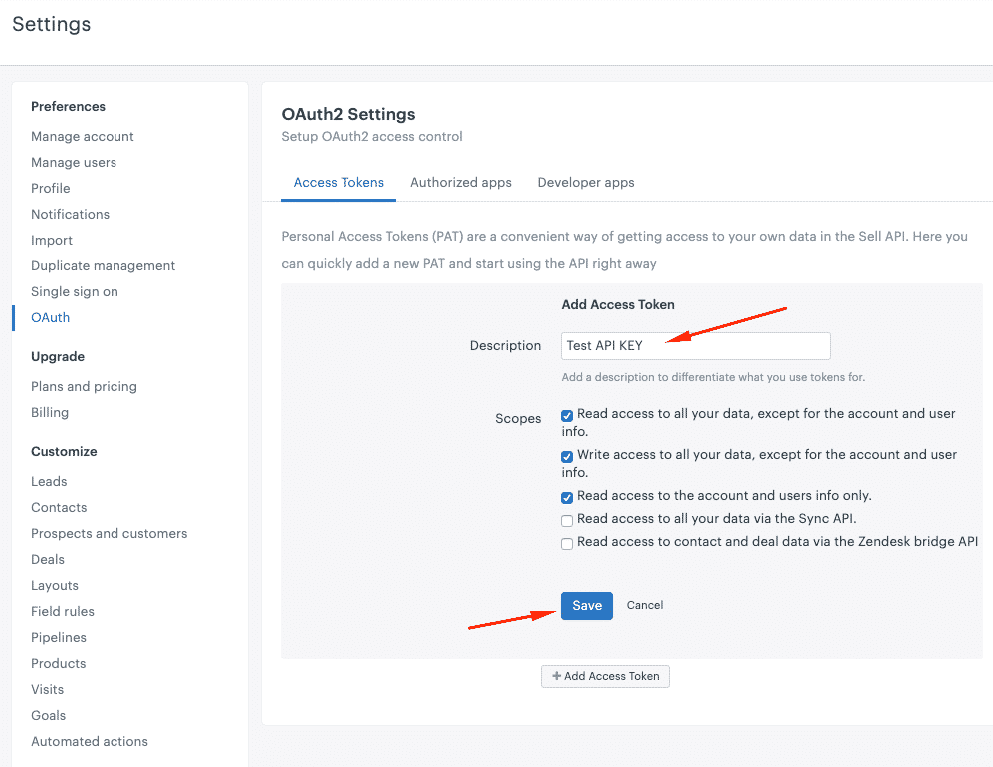
- Once you hit the Save button, you will get your Zendesk Sell CRM Access Token. Make sure you copy it to your personal token, the system won’t show it again.
MobileWorks