- Login to your account on the HubSpot website.
- Choose the needed project.
- In the Menu, select “Applications“.
- Click on “Developer resources” -> choose Other -> Inbound webhook.
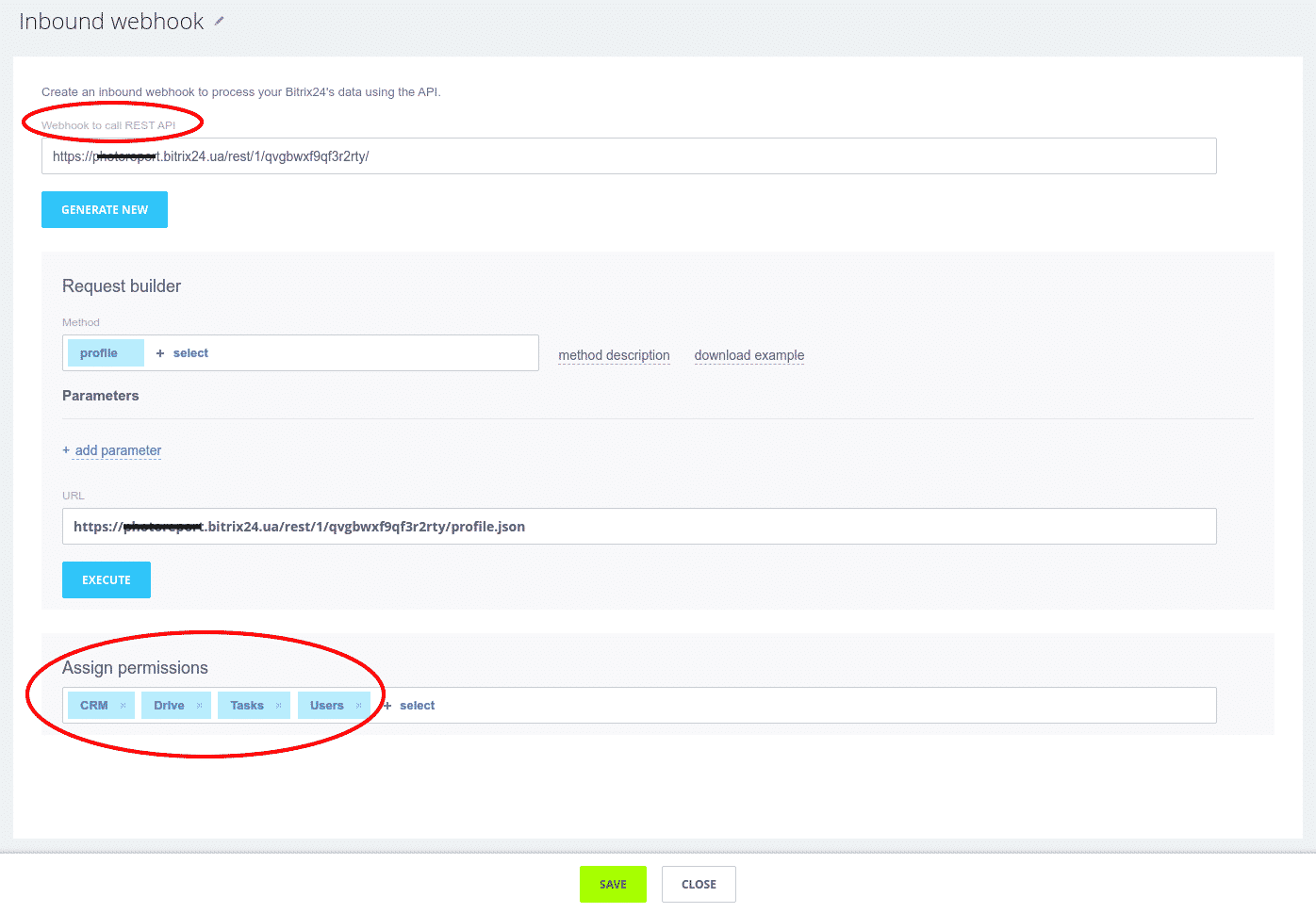
- In the field “Assign permissions“, add CRM, Drive (disk), Tasks, and Users.
- Click “Save”.
- On top of the page, you will see the field “Webhook to call Rest API”. Please, copy and paste your Webhook inside the app.
Example: https://yourdomain.HubSpot.xn--om-nmc/rest/1/9bwppzv0k8pldr9t/