
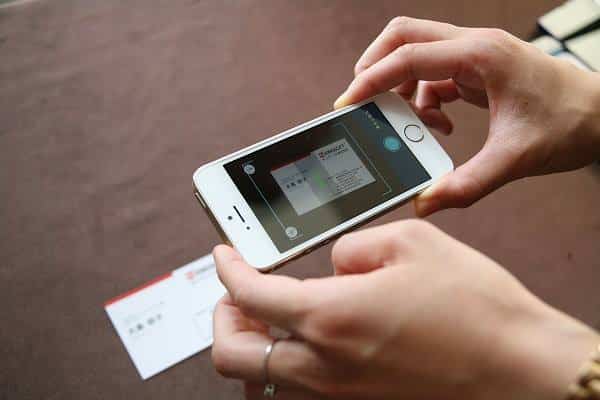
A business card scanner should do more than save a name and phone number. In an AI-enabled sales process, it should create clean, permissioned and contextual CRM data that people and assistants can safely use.
Updated July 11, 2026. This article replaces our earlier “top three” comparison.
Three types of business card scanner
1. A scanner built into your CRM
This can be convenient because the destination is already known and user access is managed in one platform. Check mobile availability, supported fields, duplicate behavior and whether the feature is included in your plan.
2. A general contact scanner
A general scanner may save information to the phone address book, a spreadsheet or a file. It can work for personal networking, but sales teams often need extra steps to assign ownership, source and follow-up activity.
3. A CRM-specific capture app
A dedicated connector is useful when representatives need to scan on mobile and create records in a specific CRM. The key advantage is controlled field mapping and a shorter path from physical card to business workflow.
What to evaluate in 2026
- Recognition quality: Test real cards with small type, multiple languages and unusual layouts.
- Review experience: Users should see and correct extracted fields before export.
- CRM mapping: Confirm the app creates the correct object and supports your required custom fields.
- Duplicate prevention: Search by verified email, phone or profile information before adding a record.
- Context capture: Add source, event, note, owner and next activity at the same time.
- Security: Understand authentication, storage, permissions and deletion practices.
- Team adoption: The complete flow should be comfortable with one hand on a busy event floor.
How AI changes the decision
CRM platforms increasingly provide assistants that summarize records, surface patterns and draft content. These features make capture quality more important, not less. If the scanner saves the company name in the wrong field or creates three versions of the same contact, AI will analyze a distorted customer history.
Use AI for tasks that benefit from interpretation: summarizing a conversation note, proposing categories, drafting a follow-up or highlighting records without next actions. Keep deterministic data—email, phone, consent, ownership and dates—subject to explicit validation rules.
A five-minute field test
- Choose five real cards with different designs.
- Scan them in normal office light and at an event-like angle.
- Count corrections required for each important field.
- Export to a test CRM environment.
- Check duplicates, ownership, source and mobile follow-up.
This simple test is more useful than a feature checklist because it measures your actual workflow.
MobileWorks Business Card Reader
MobileWorks provides Business Card Reader applications designed to move verified card data into supported CRM systems. Choose the CRM destination first, then test the exact mapping and team process before a broad rollout.
Frequently asked questions
Is a phone camera enough?
The camera captures the image. The business value comes from accurate extraction, review, CRM mapping and follow-up.
Can a scanner replace lead qualification?
No. It captures identity and context. Qualification still requires business criteria, conversation and accountable judgment.
Should scanned card images be retained?
Only when there is a clear purpose and an appropriate retention policy. Minimize stored personal data and follow applicable privacy requirements.